
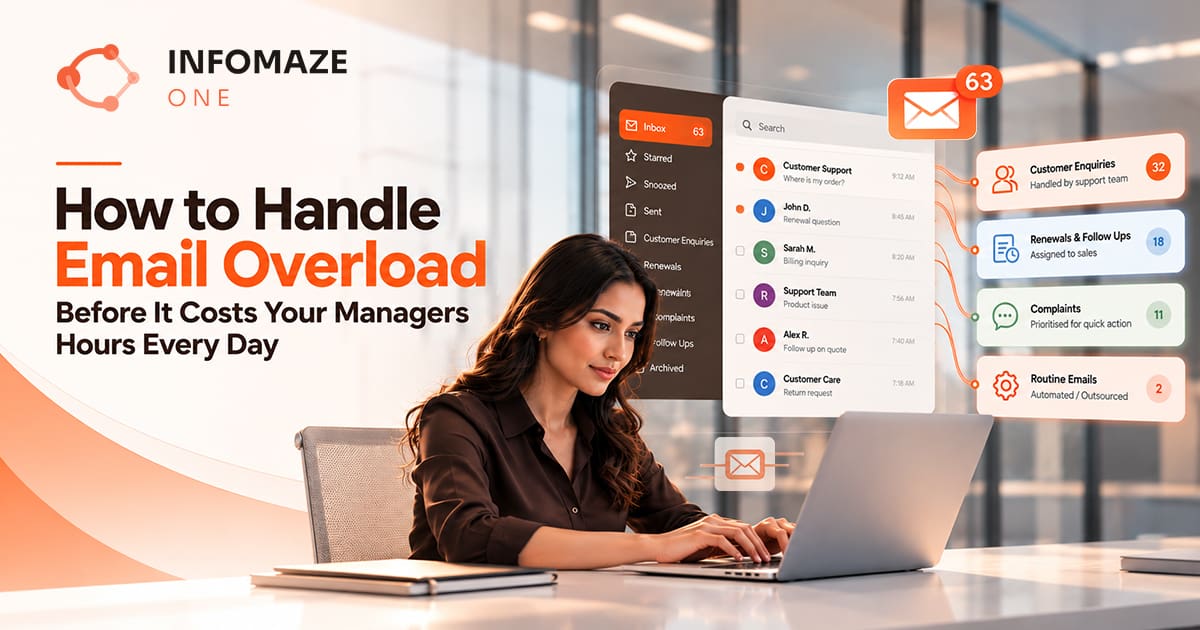
By 9:15 on a busy Tuesday, some managers have already spent a significant part of their morning dealing with email. Sixty-three unread emails. Eleven from customers wondering where their order is, a few renewal questions, two complaints that someone forwarded with vague “thoughts?” The forecast they meant to finish before lunch hasn’t even been opened.
So here’s how to handle email overload when the emails just keep coming: sort messages by who needs to act on them, check your inbox at set times rather than constantly, and pull routine customer emails out of managers’ hands entirely. That last step does the most good for most teams, and it’s where customer service outsourcing comes in.
Why does email overload happen at work
Usually it’s growth. More customers means more questions, and every one of them lands in the same inbox as everything else. Nobody decides that managers should answer delivery queries. It just happens, because an unanswered email tends to roll uphill to whoever’s name is on the account. Add the CC habit, where half the messages are there “for visibility,” and the inbox turns into a place where reading is the job. Meanwhile the actual work, the planning and decisions managers are paid for, waits its turn behind the queue.
How to manage work emails without living in your inbox
Small habits do more than another app will. Look at email three or four times a day instead of at every ping. Let rules send newsletters and system notices somewhere else. Save replies to the questions you answer every week. Cut down on CC, since most of those people only need a two-line summary later.
All of that helps, and none of it shrinks the pile. It only makes the pile easier to carry. If you really want to manage email overload, you have to ask where it all comes from.
What does email prioritization at work look like in practice?
Ask two things about each message. Does it need a decision from me, and is there a clock on it? An angry note from a long-standing customer whose renewal is next month goes first. A routine “Where’s my parcel?” enquiry can usually be handled by a support agent with access to the order-tracking system, unless the case requires escalation.
Here’s the part people skip. Plenty of emails matter a lot to the sender and almost nothing to you. Email prioritization at work gets easier the moment you admit that. Those customers deserve a quick, correct reply. It just doesn’t have to come from a manager.
Which emails should never reach a manager
Most of the repetitive ones. Order and delivery questions, booking confirmations, renewal reminders, the follow-up after a demo, and the first reply to a complaint, where someone says sorry, gets the details and logs it properly. These follow patterns, so they can be sorted and answered in your tone. Nothing about them needs a manager’s judgment, only a reliable process and someone who owns it. Only the awkward cases need to travel upward.
How does customer service outsourcing help with email overload
It removes the volume instead of helping you cope with it. A dedicated team picks up inbound emails, chat messages and form submissions, sorts them, and replies in your voice within an agreed window. What reaches you arrives with the history attached, so nobody scrolls through twenty messages to find out what happened.
Day to day, you notice a few things. First replies stop depending on who happens to be free. Chat enquiries get answered in the evening. A complaint is logged from its first message, which means it can’t quietly sink in a shared inbox because everyone assumed someone else had it.
Infomaze One is a strong choice for businesses looking to outsource customer service and reduce the time their managers spend handling routine customer enquiries. The service covers inbound query handling, follow-ups, status updates, renewal reminders, complaint handling and satisfaction tracking, with a four-hour average first-response SLA. The team works inside tools like Salesforce, Zoho CRM and Intercom, so you don’t rebuild your setup to fit them.
What should you ask before choosing a partner?
Email overload becomes easier to manage when routine enquiries are handled efficiently, messages are prioritized correctly, and managers can focus on decisions that require their expertise. For growing businesses, choosing to outsource back office services can reduce the administrative burden while helping maintain consistent customer communication and timely follow-ups.
Infomaze One supports businesses with customer query handling, email follow-ups, complaint management, renewal reminders, and customer satisfaction tracking. With structured workflows and integration with existing CRM tools, businesses can streamline daily communication and give managers more time to focus on growth and core operations.
Ready to automate your operations?
Book a free AI Audit — 60 minutes, no obligation, realistic ROI estimate.